Session restore
Closing and reopening brings back every tab, split, title and folder.
Open source · MIT · Windows & macOS
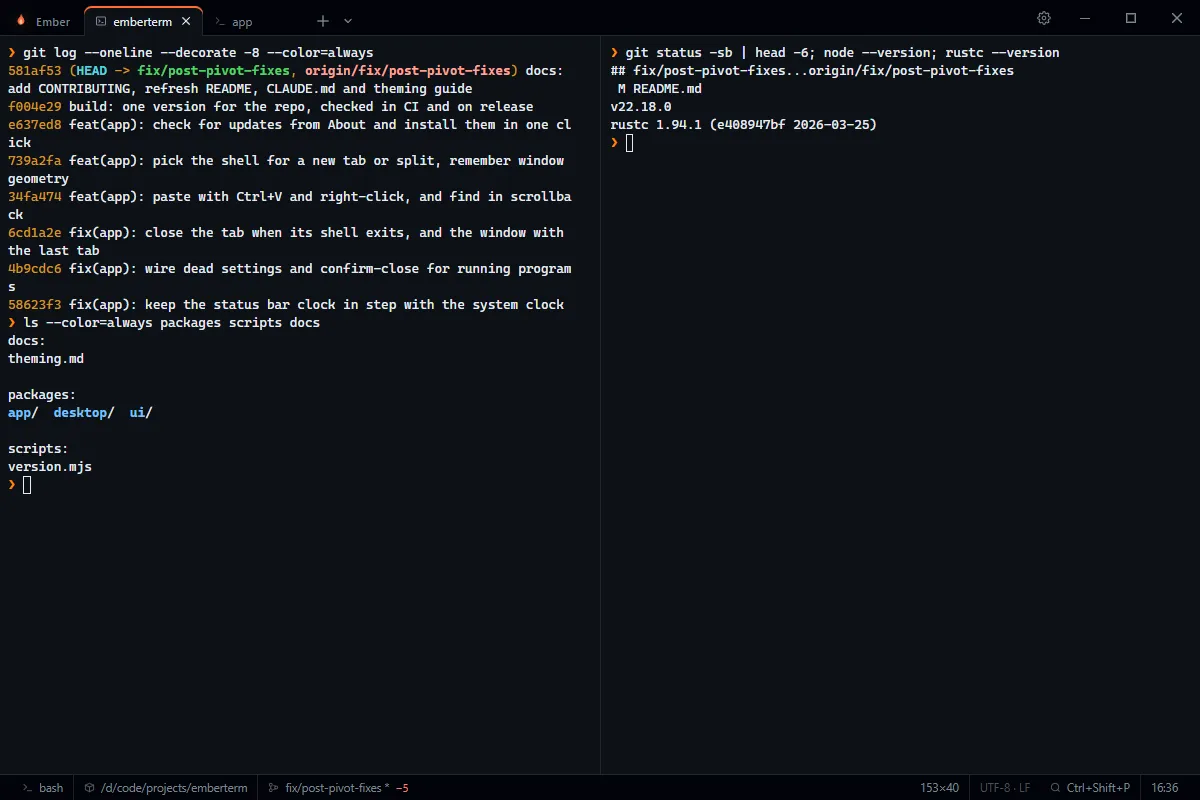
EmberTerm is a fast, lightweight terminal built for daily use. Many tabs with a shell each, split panes, and your last session back the moment you reopen it. No account, no telemetry.
Latest release: v1.1.0. All releases · Windows .msi
WHY EMBERTERM
Terminals that forget your tabs, or fail to start after an update, cost you time every day. EmberTerm was written to replace one that did both.
It keeps a single job: open fast, show your shells, and bring everything back the way you left it. Settings, profiles and the session are plain files you can read, and a broken file is set aside with a notice instead of blocking startup.
FEATURES
Closing and reopening brings back every tab, split, title and folder.
Side by side or stacked, with any shell in each pane.
A dot marks a tab that is running a command or has new output. Closing a busy tab asks first.
Ctrl+C with a selection, Ctrl+V, a right-click menu, and Ctrl+Shift+F to search the scrollback.
Ctrl+Shift+P for tabs, profiles, splits and themes.
Shell, folder, git branch and changes, size and clock at a glance.
Size, position and maximized state come back too.
Settings, About, Check for updates. Downloads are verified against the project signing key.
YOUR SHELLS
Choose Git Bash, WSL, PowerShell or cmd from the arrow beside the plus, or set a default profile. Split any tab side by side or stacked and run a different shell in each half. Folders are restored for Git Bash, WSL and PowerShell, and a tab warns you before closing on a running program.
THEMES
Themes use VS Code-compatible JSON, so paste one in under Settings and it sticks. Switch from the command palette with Ctrl+Shift+P. Try a few here.
UNDER THE HOOD
A Rust core on Tauri 2 with a Svelte 5 interface and xterm.js rendering through WebGL. PTY output is batched and acknowledged, so heavy output stays responsive.
Programs cannot set your clipboard unless you turn it on, so text from a hostile file or host cannot silently replace what you copied.
The status bar runs git without repository locks or fsmonitor, and never in a network path or missing folder.
The app window ships with a CSP, and profile ids are restricted so they cannot reach outside the profiles folder.
Workflow actions are pinned to commit SHAs and kept current by Dependabot.
INSTALL
Windows is the primary target. WebView2 is preinstalled on Windows 11.
Builds are not code-signed, so SmartScreen may ask you to confirm the first run.
A universal build that runs on Apple silicon and Intel.
The app is ad-hoc signed and not notarized, so macOS may ask you to confirm the first launch.
Needs Rust 1.85+, Node.js 22+ and pnpm 9+.
git clone https://github.com/emberterm/emberterm
cd emberterm
pnpm install
pnpm dev
Read the code, file an issue, or send a pull request. The contributing guide covers code style, versioning and releases.